

source:Industry News release time:2022-12-09 Hits: Popular:Brand bar audio wholesale
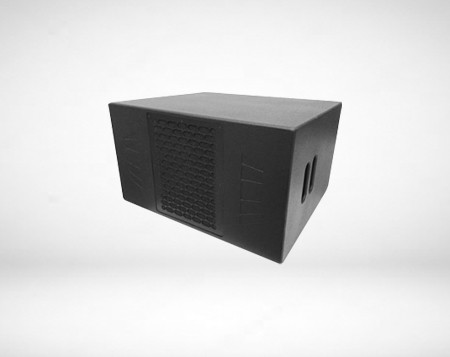
Many friends have bought stereos, but they don't know how to connect them. Facing a pile of audio equipment, they can't listen to the songs they want to hear. Today, a small editor will solve problems for everyone. Just follow the steps. It's very simple.
1. Check the back of the amplifier and stereo to see if the audio cable is complete; If not, you need to go to the store first to buy a section, which does not need to be too long, or it will be put on the back.
2. The connection of the audio cable is very easy. Find a pair of scissors to peel the audio cable head out of the rubber layer on the outside surface and expose the copper wire inside, which is generally of two colors: brass and silver.
3. Twist the copper wire a few times by hand to make the copper wire harder, and then see that there are red and black terminals behind the amplifier, and the copper terminals are connected to the red ones; The silver column is connected with the black column.
4. The other end of the audio cable is also connected to the back of the audio system. Some audio systems are terminal type, while others are more convenient. They are snap type. Press the snap with your finger to poke the cable in, and then release your hand. The cable is clamped by the snap, which is very firm.
5. After the amplifier and the audio are connected, the sound source should be input to the amplifier. Generally, the sound source can be used with a DVD player. If allowed, a laptop can also be used, which is more flexible. You need to use two audio cables with lotus heads at both ends. The L and R channels under OUTPUT are plugged behind the DVD to output sound signals. The power amplifier is also plugged into L and R, but note that it is under INPUT input. In this way, the sound will be output from the DVD to the amplifier, and then from the amplifier to the audio.
6. Now you can turn on the DVD and the amplifier, and you should be able to hear the sound. The following is a description of the buttons on the front panel of the power amplifier. You can find a small flat screwdriver, plug in the microphone, and slowly adjust the knob while talking until the sound is suitable for your own voice. It's OK to listen to yourself comfortably.
Popular recommendation
F101 Marten Audio Vendor
2021-07-16F1 Mini bar sound Factory
2021-07-26A2 Dalian Bar Audio Vendor
2021-07-26F1201 School audio Vendor
2021-07-16F215 MK2 ktv bar sound Factory
2021-07-14C12 Bar hall sound Merchant
2021-07-26Bass Reflex Range Bar hall sound Vendor
2021-07-14XD12 Brand bar audio Vendor
2021-07-26F10 Nightclub sound Vendor
2021-07-26Resolution 1 Bar ktv sound Vendor
2021-07-16Resolution 5E Big sound bar Vendor
2021-07-16RM12 Sound bar wholesaler
2021-07-15The characteristics of line array speakers-audio common sense
2021-09-30Tips for professional audio placement
2021-10-18Bar audio recommendation Mateng Audio
2022-12-05Acoustic or musical, which one do you consider more?
2022-03-17Solving the Stage Return to System Frequently Problems.Bar performance sound wholesaler
2023-03-09DVD Multimedia Active Speaker Professional Audio Speaker System
2022-12-13Four criteria for judging the quality of professional power amplifiers.Audio equipment bar Processin
2022-03-12Tongxiang SPACE CLUB bar sound engineering is provided by Ma Teng Audio
2022-09-16Audio output device layout in conference room.School audio sales
2022-04-22Tongxiang SPACE high-end bar audio equipment is provided by Mateng Audio
2022-10-09Zunyi FIRST ROOM bar professional audio equipment is provided by Mateng Audio
2022-10-10How to buy professional entertainment audio.Domestic bar audio Vendor
2021-11-26
Customer Service Hotline:
E-mail:matengaudio@163.com
Company address:Room 101, 1st Floor, Building B, Baocheng Taizhihui Industrial Park, Longgang District, Shenzhen City, Guangdong Province

WeChat QR Code
Scan and Follow us
Products

Applications
Brand Introduction
News
Contact Us

 中
中